
How might we make a more useful location scouting app? Scout helps location scouts save locations and share them with their team.
Contribution. User Experience, Visual Design, Research, Prototyping.
Tools. Figma, Lightroom.
Timeline. Three weeks.
Prototype. View here
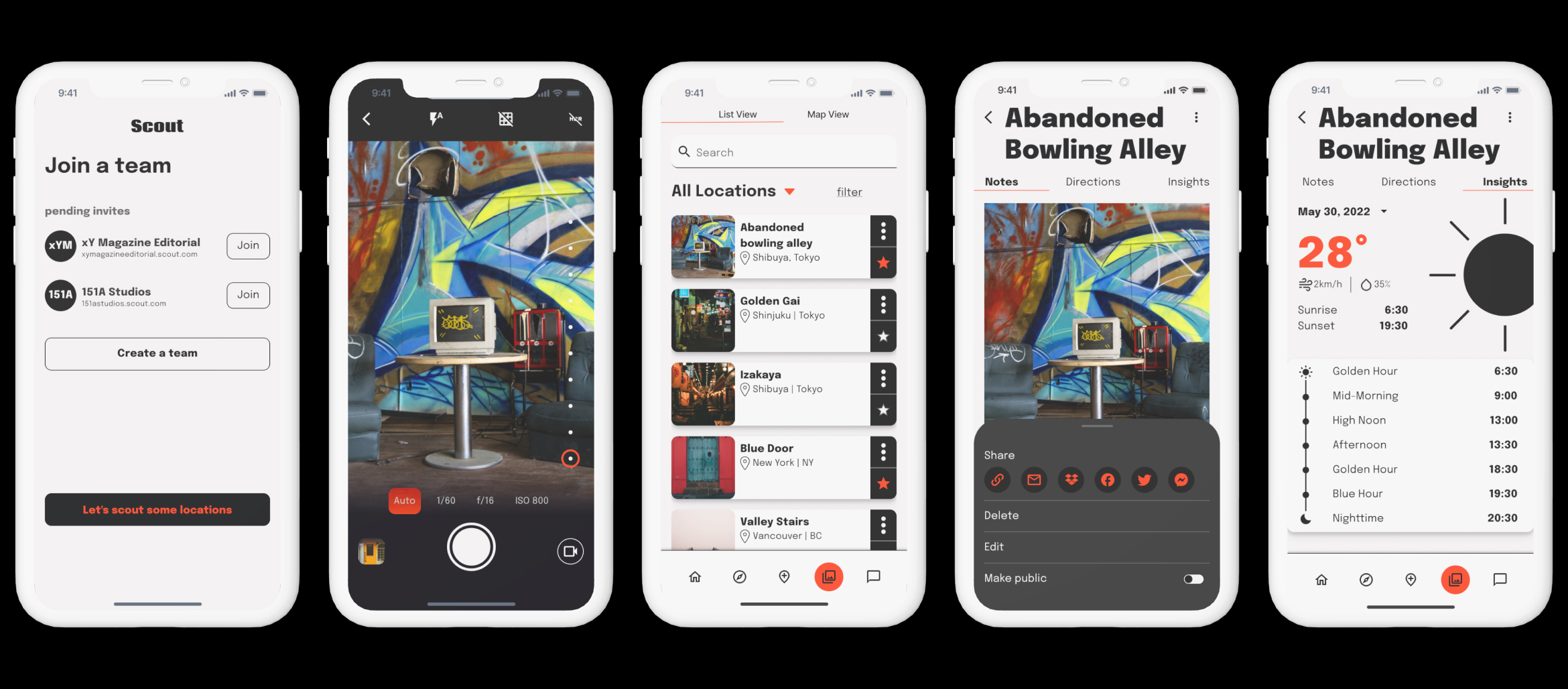
Scouting a location takes a suite of tools. From taking photos on site to sending the details to a team, a location scout may use three or more apps.
Camera rolls full of forgotten locations. Many creatives rely on their phone and memory to save locations, so their camera rolls fill up with spots they can’t find again.
Goal 1. Let users save locations with as much detail as possible.
Goal 2. Let users organize saved locations and find them again.
Goal 3. Let users share locations with their team.
Gaps identified. Can’t save videos, can’t save audio, limited sharing, no team abilities, limited camera.
Existing Apps. Really Good Photo Spot, ShotHotspot, Spoto: Photo, Location Scouting.
Each feature answers a gap I found in existing apps.
No video or audio. Every location can hold audio notes along with its photos.
Limited sharing and no team features. A scout can share a location with a team or a project and choose whether to make it public.
Camera rolls full of lost spots. Each location saves its name, notes, GPS position, and tags together, so a scout can find it later.
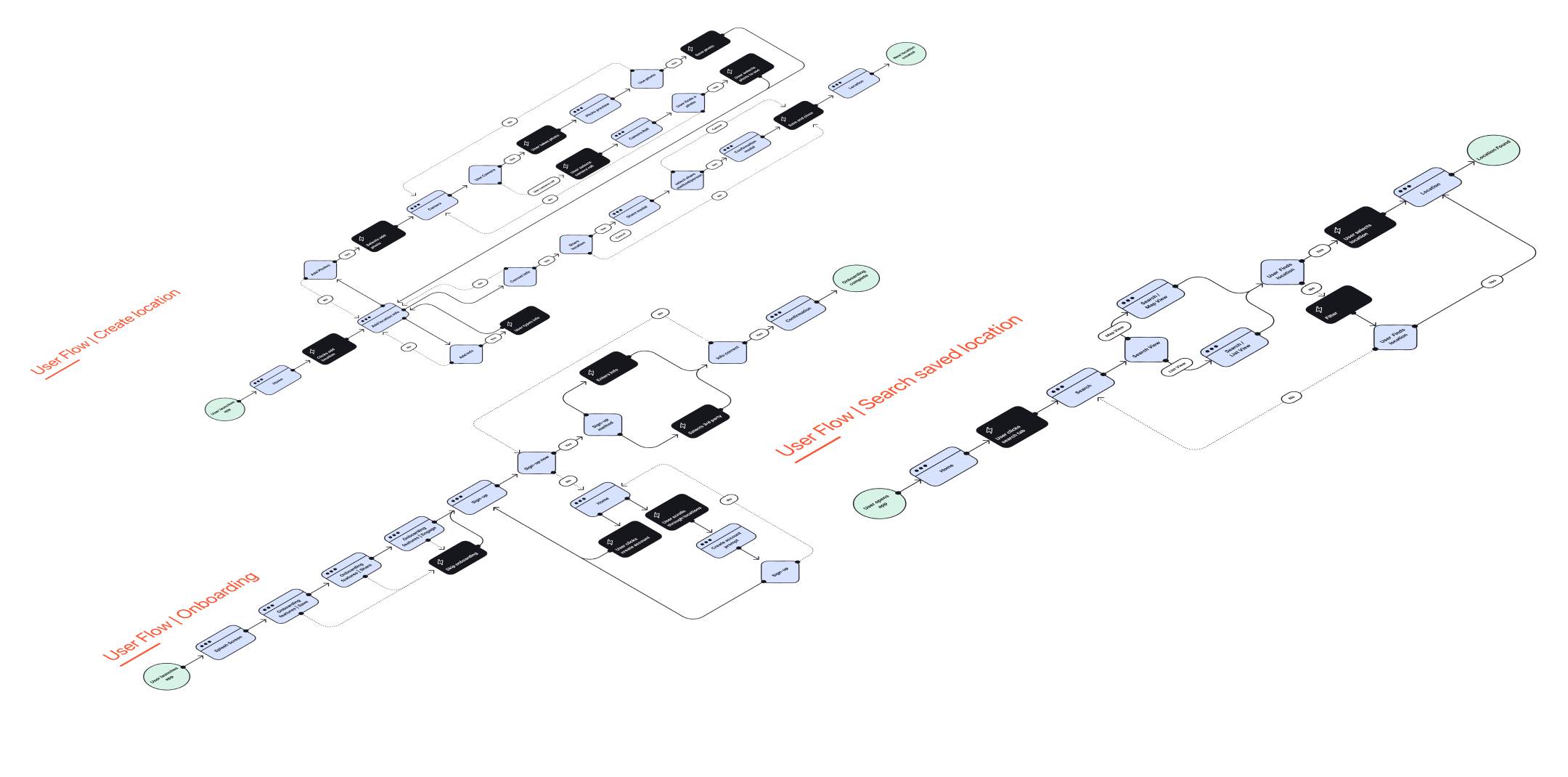
I mapped the main path and every branch for onboarding, creating a location, and finding a saved one. Scout works without an account. Signing in syncs locations across devices and shares them with a team. The full flows are in the Figma file linked below.
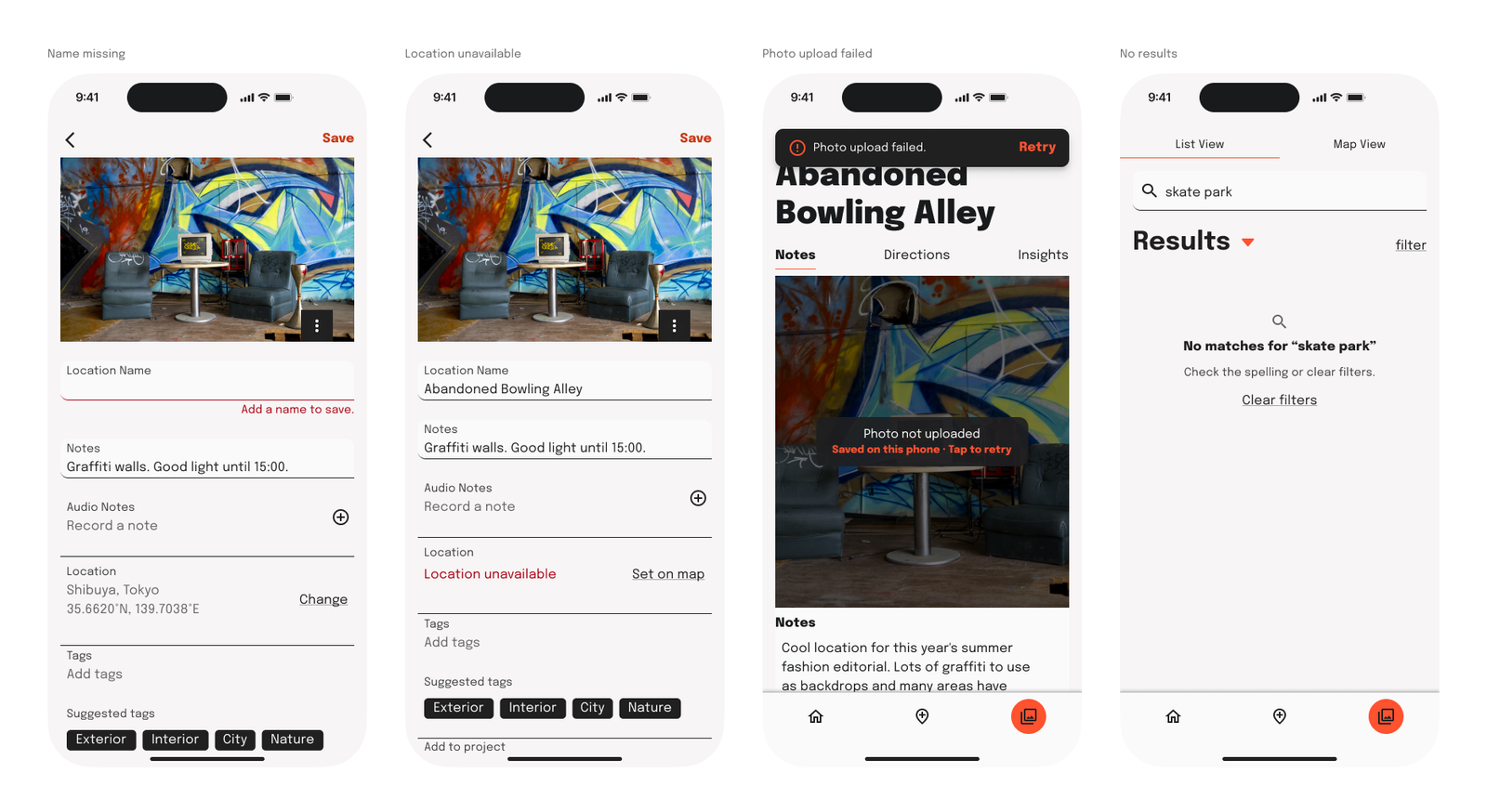
Each flow covers its errors and empty states, so a scout always has a next step. A few examples:
People who tried the prototype wanted to use it as a working app. One tester said Scout would fix a familiar problem: a camera roll full of photos of random rooms, with no memory of why they saved them. Testing also showed that many photographers and videographers didn’t know location scouting apps existed.
The Figma file has every screen in the three flows, including the branches and error states. Open the Scout flows in Figma
Say hello!